





Just say what the website should show
What is it?The chat is where you tell Pages what your website should show. In your words, without jargon.
In the chat you describe in your own words what you offer, for whom and where. The AI turns that into pages, copy and a design of its own, has the result checked and tells you briefly what it changed and what it still needs to know.
Free costs nothing and has no time limit. macOS 11 or later, Apple silicon and Intel.
Without WebDonkey
Learn a site builder, click through templates, type copy into fields. Or hire an agency and wait through rounds of corrections.
With WebDonkey
You describe what you offer, for whom and where. The AI turns that into pages, copy and a design of its own, has the result checked and tells you briefly what it changed and what it still needs to know.
What you get out of it
- The AI asks for what is missingThe AI never invents prices, testimonials, addresses or opening hours. Whatever is missing it asks for or collects under Facts.
- Every message a checked runSave the state, build, check. If something is red, the AI fixes it for at most two rounds, otherwise the previous state is back.
- Claude via sign-in or API keyPages builds with Claude, through your signed-in Claude Code or an Anthropic API key, per website if you like.
In detail
Writing messages
Enter sends, Shift+Enter starts a new line. To get you started there are three example messages, and a click puts one into the field. Give concrete facts and say how the site should feel; Pages works through larger requests in one run. Pages stores the chat per website.
What happens with a message
Every message is a run in fixed steps: save the state, the AI works only with Pages' own tools, then build and check. If something is red, the AI fixes it for at most two rounds, otherwise the previous state is back. You follow the progress live, and Stop cancels.
AI access
Pages builds with Claude, through your signed-in Claude Code or an Anthropic API key. You set it once in Settings and, where needed, per website, for example with your client's key. The status bar shows which access applies right now.
AI answers
Answers appear as formatted text with lists, tables and code; you can select and copy text, and Copy code copies a code block. Links open in your browser, images from the web are not loaded on their own, and HTML stays text. If Pages discarded a change, the note appears below the answer.
What does Free include?
The chat is Free. Without a licence you build one website with everything Pages can do.
Compare Free and PremiumGoes well with this
-
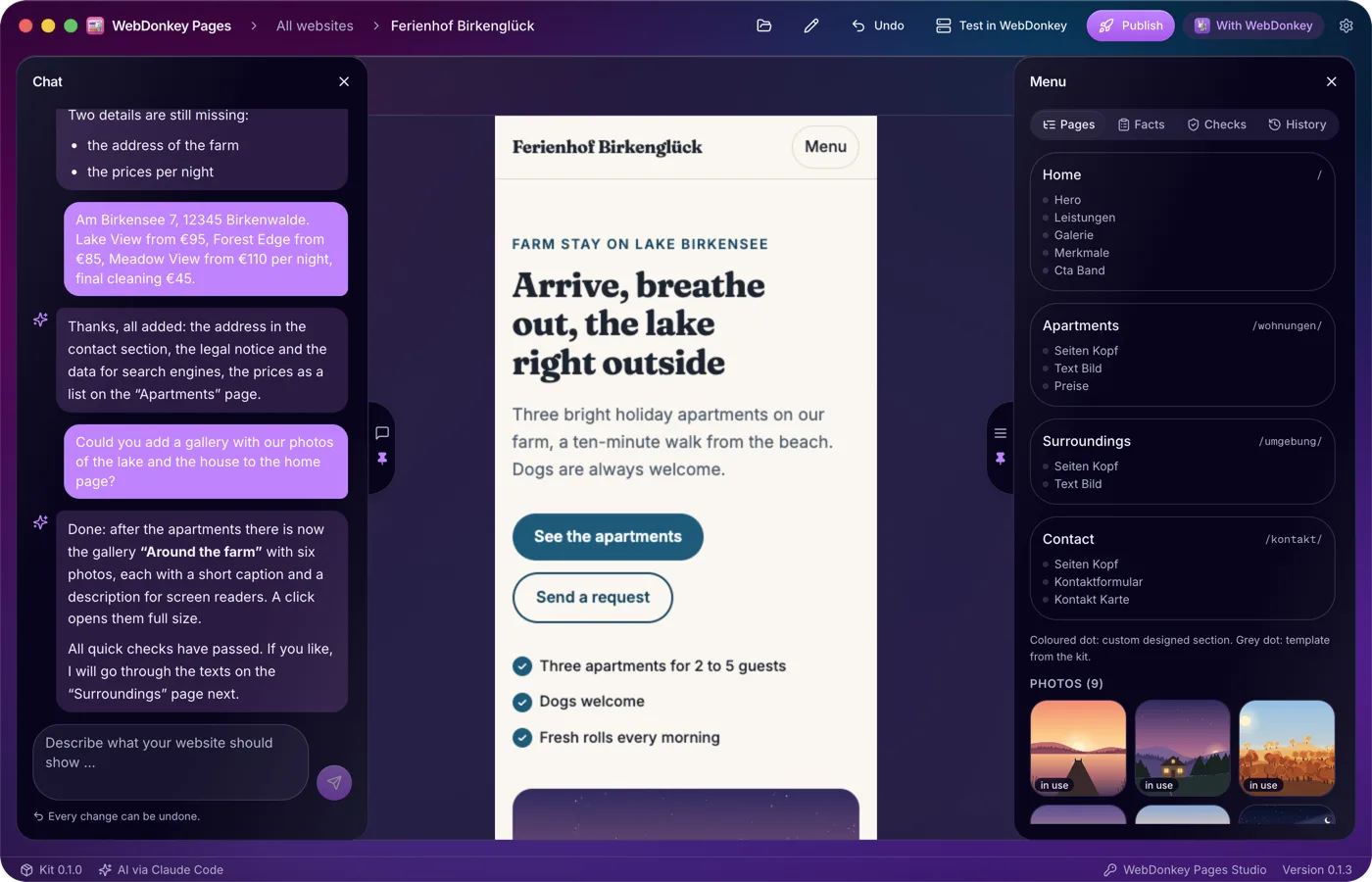
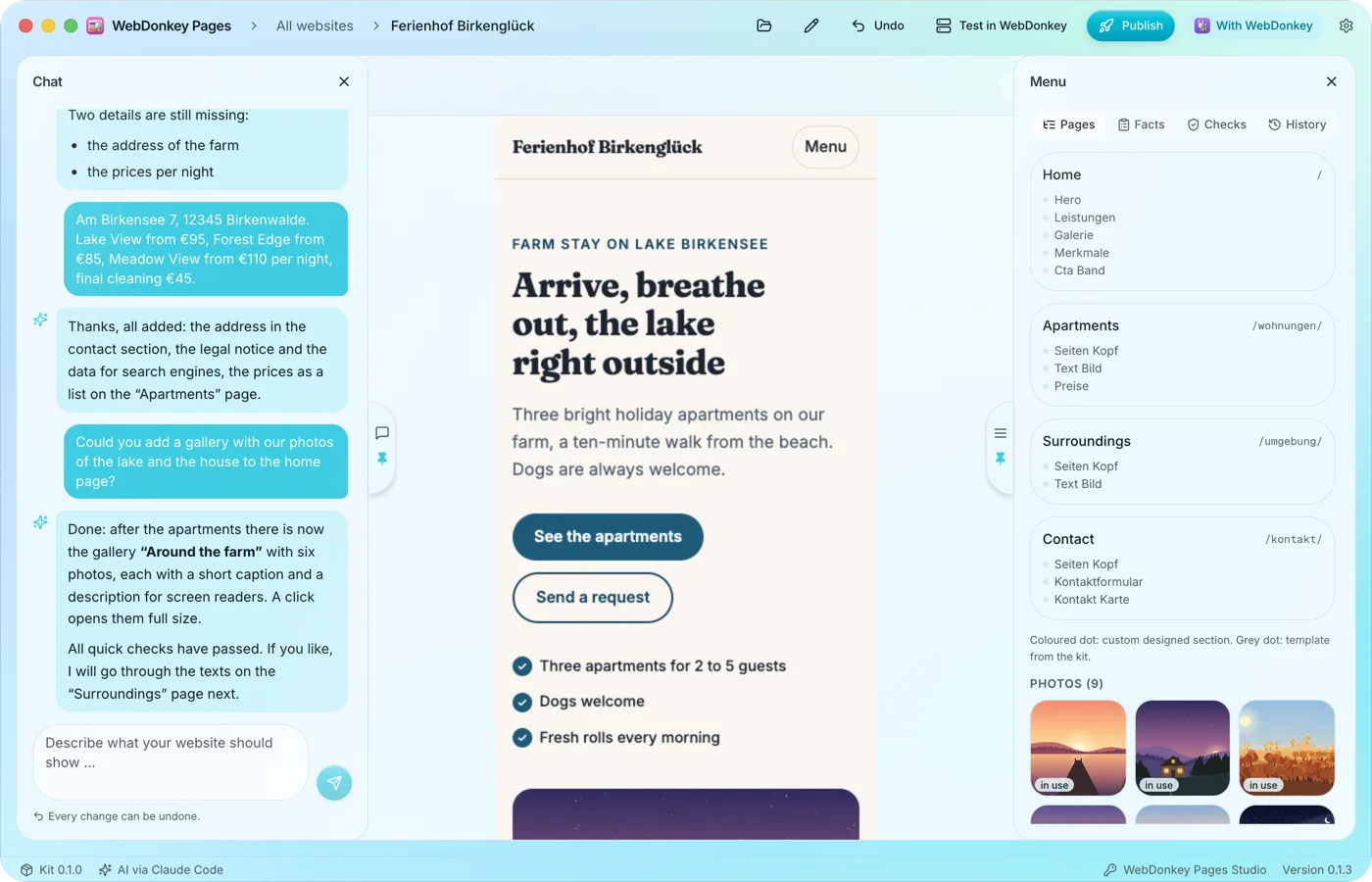 The preview at full widthWhen you open a website, the preview takes up the full width. The chat sits on the left, the menu with pages, facts, checks and history on the right, and both slide open when you move the pointer to their handle at the edge. The workspace is fully included in Free.
-
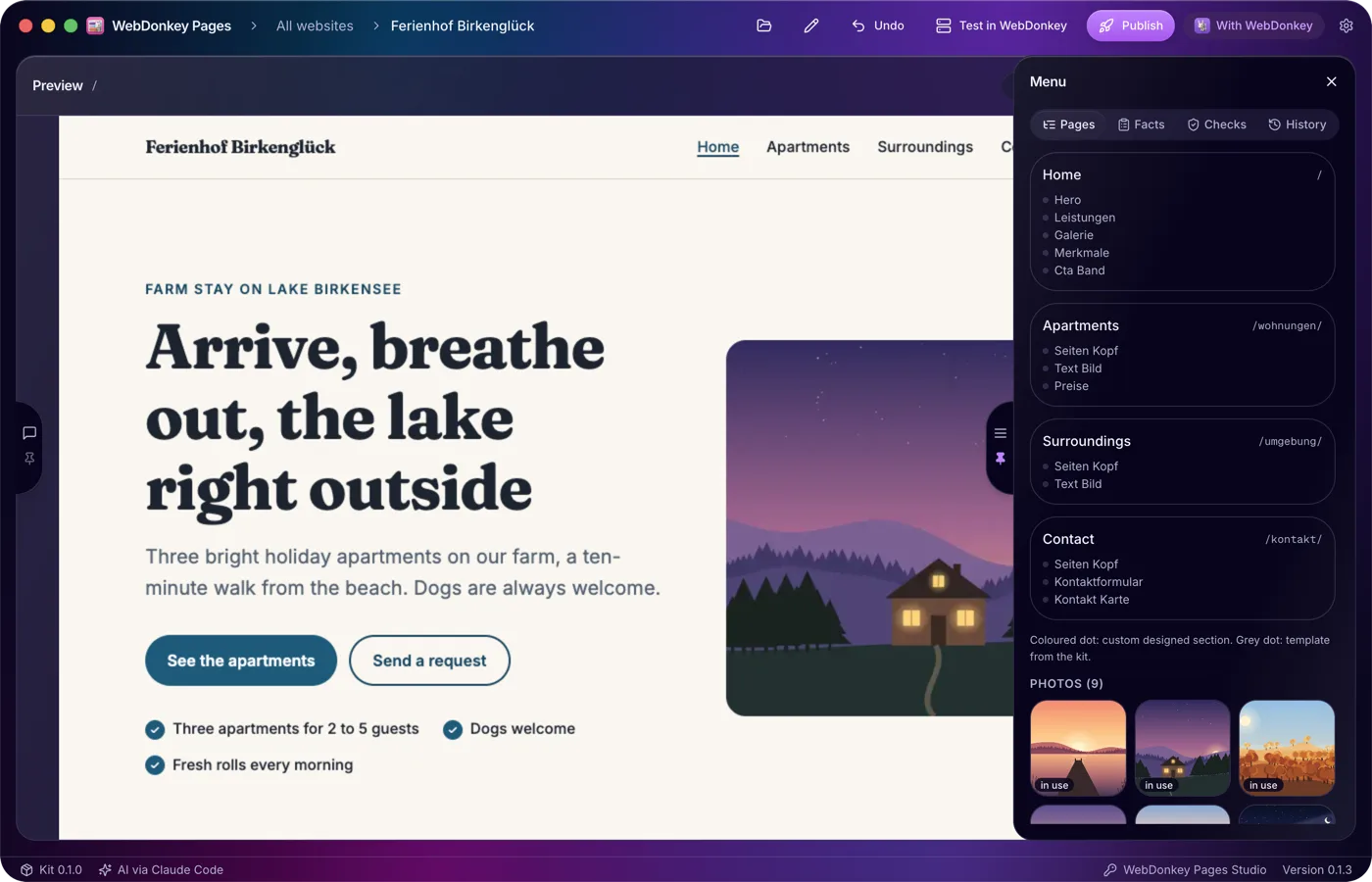
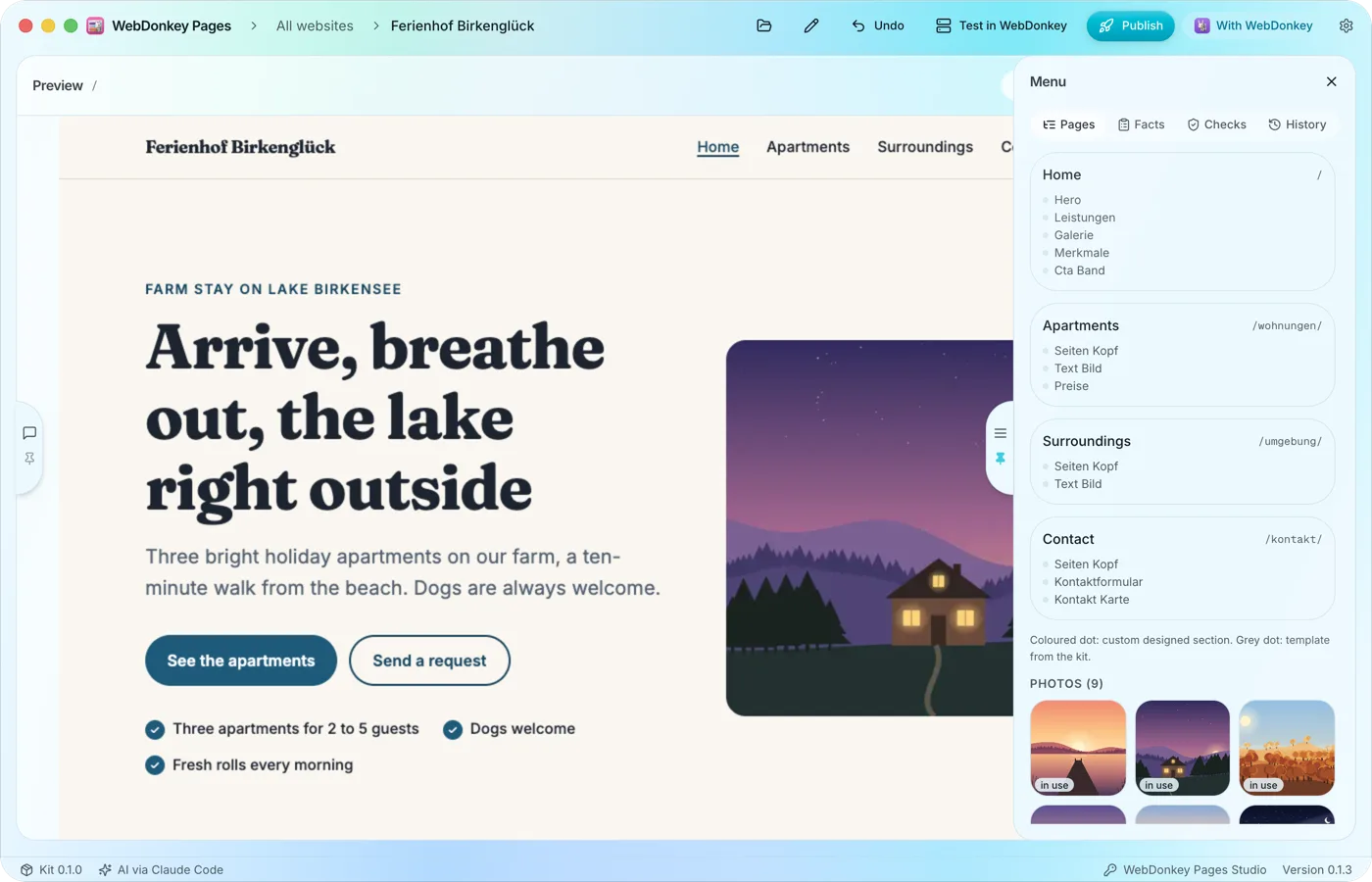 Pages and sections at a glanceThe Pages tab shows every page with its address and, below it, its sections in the order they appear on the page. You change the structure in the chat, and a click on a page shows it in the preview.
-
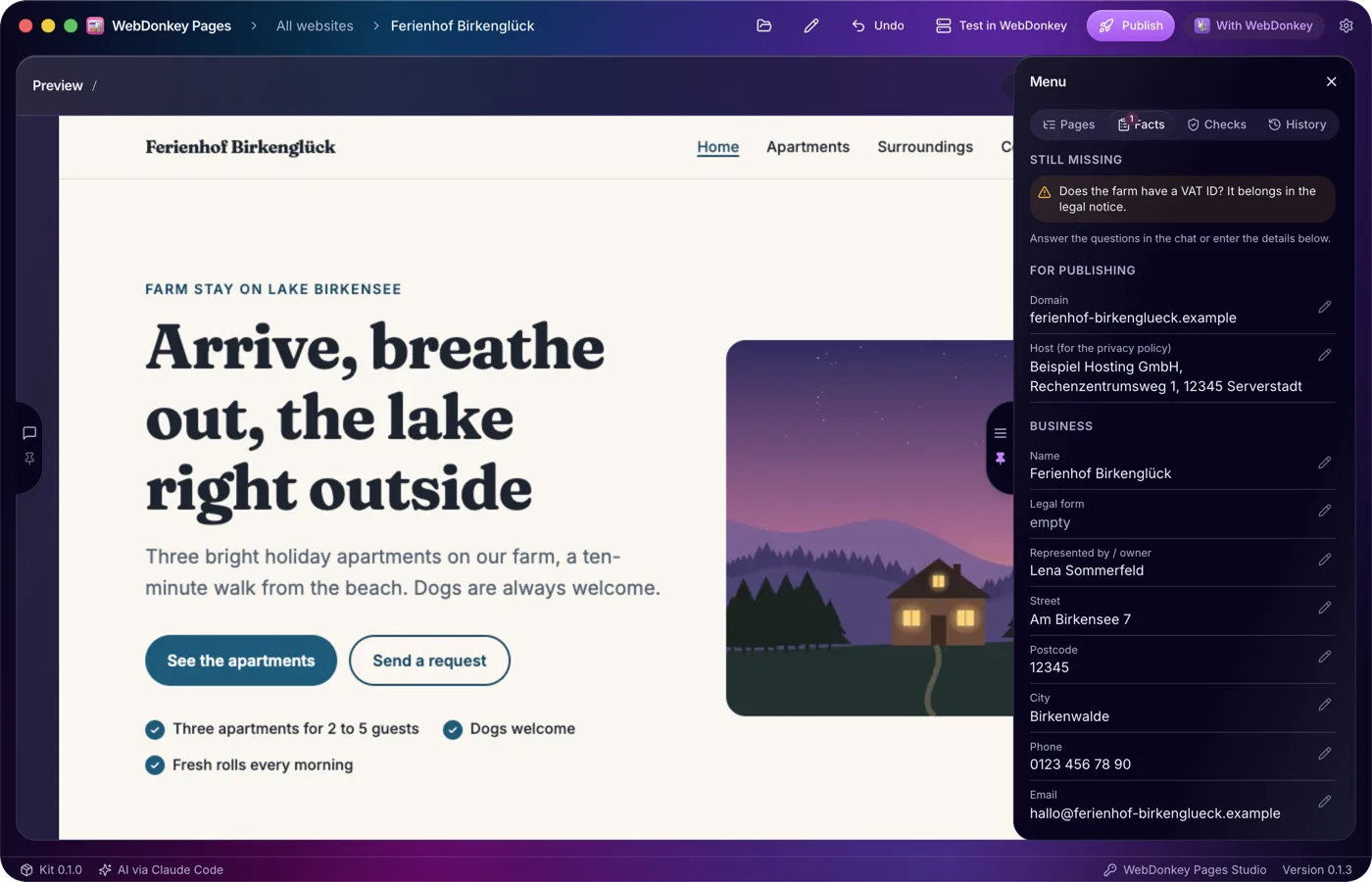
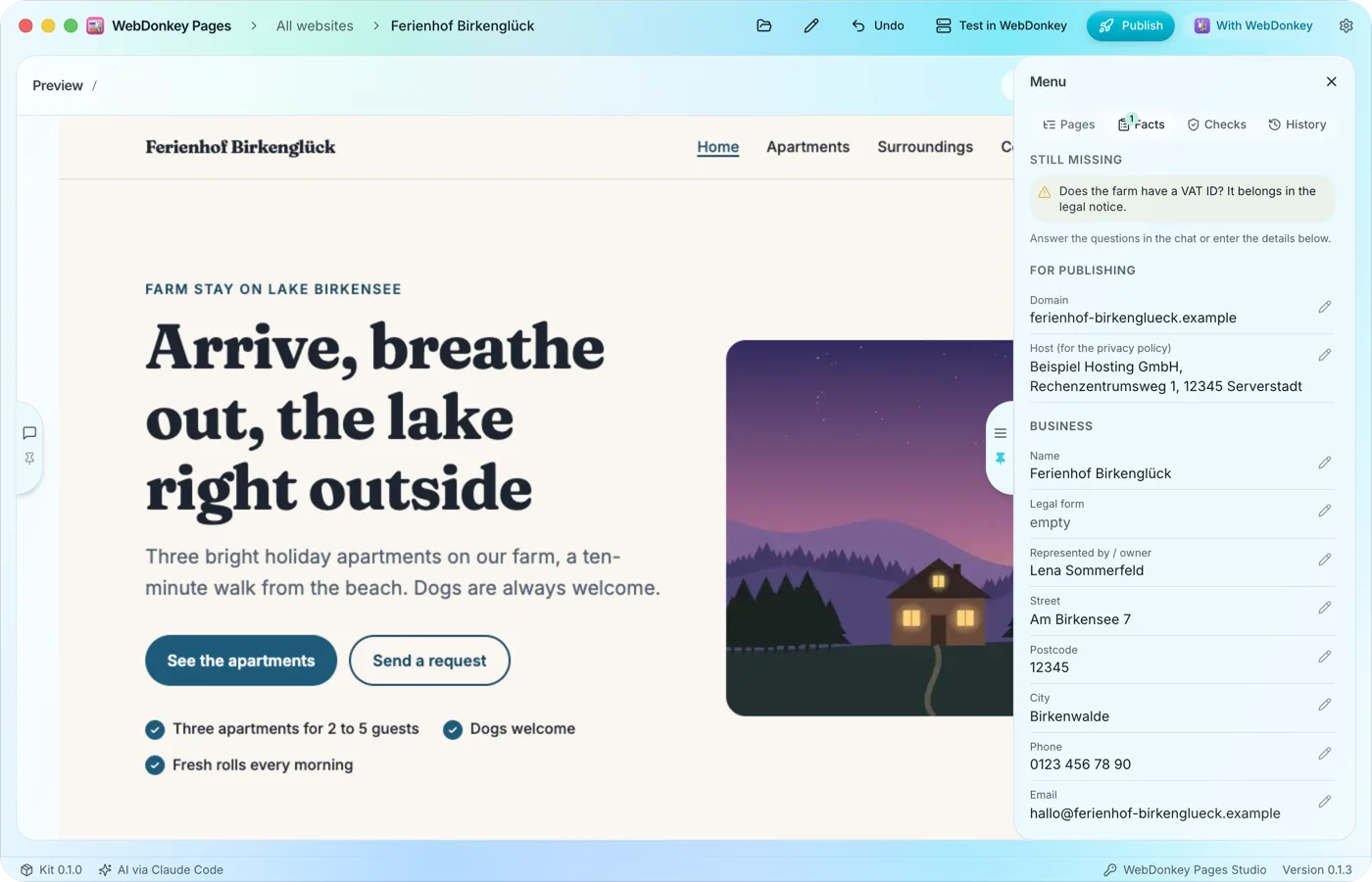 What Pages must not inventThe Facts tab collects the details your website needs: domain, host, the business's name and address, contact details and register entry. Whatever the AI learns in the chat it enters itself, and you can edit every field yourself too.
-
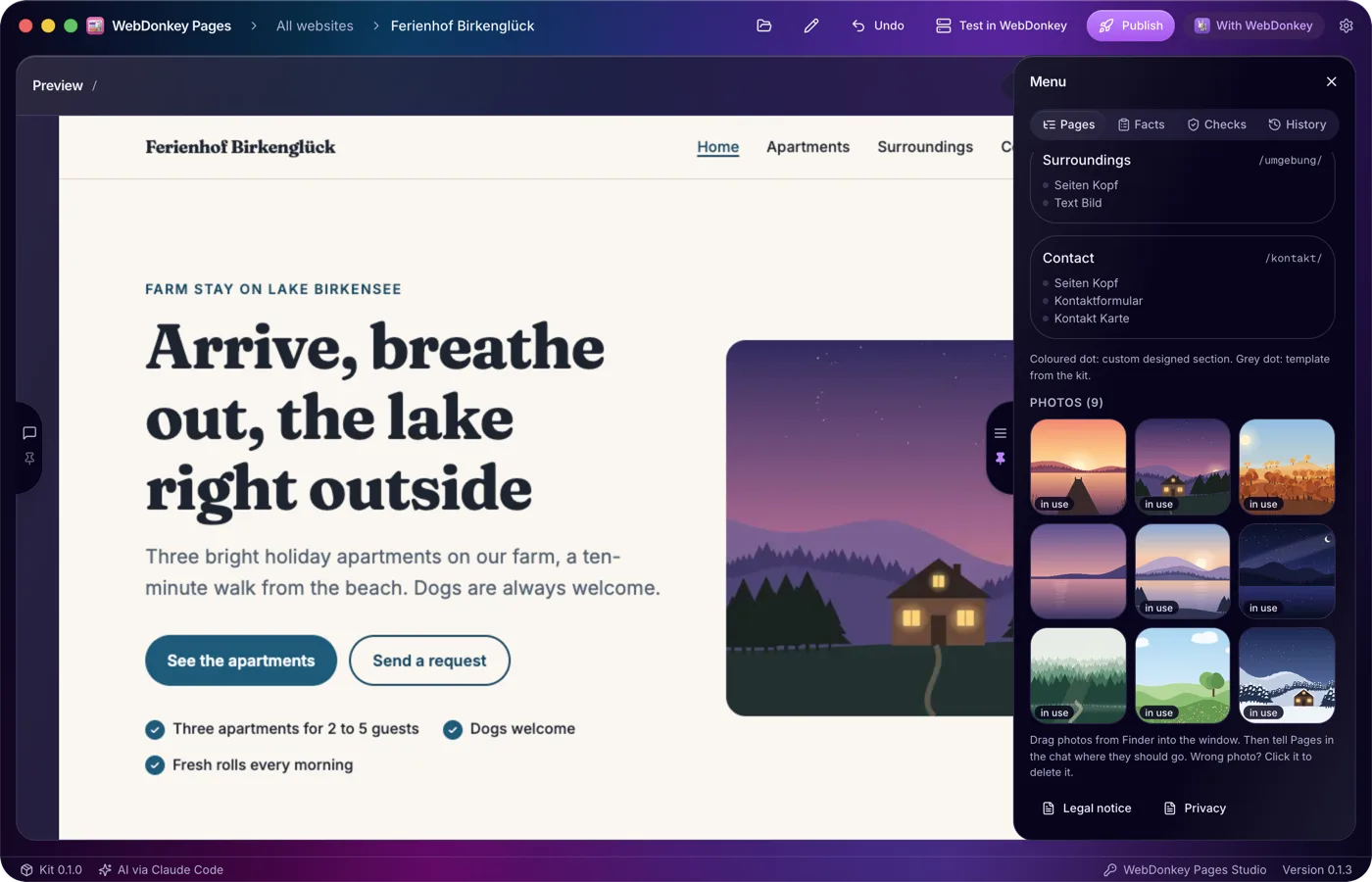
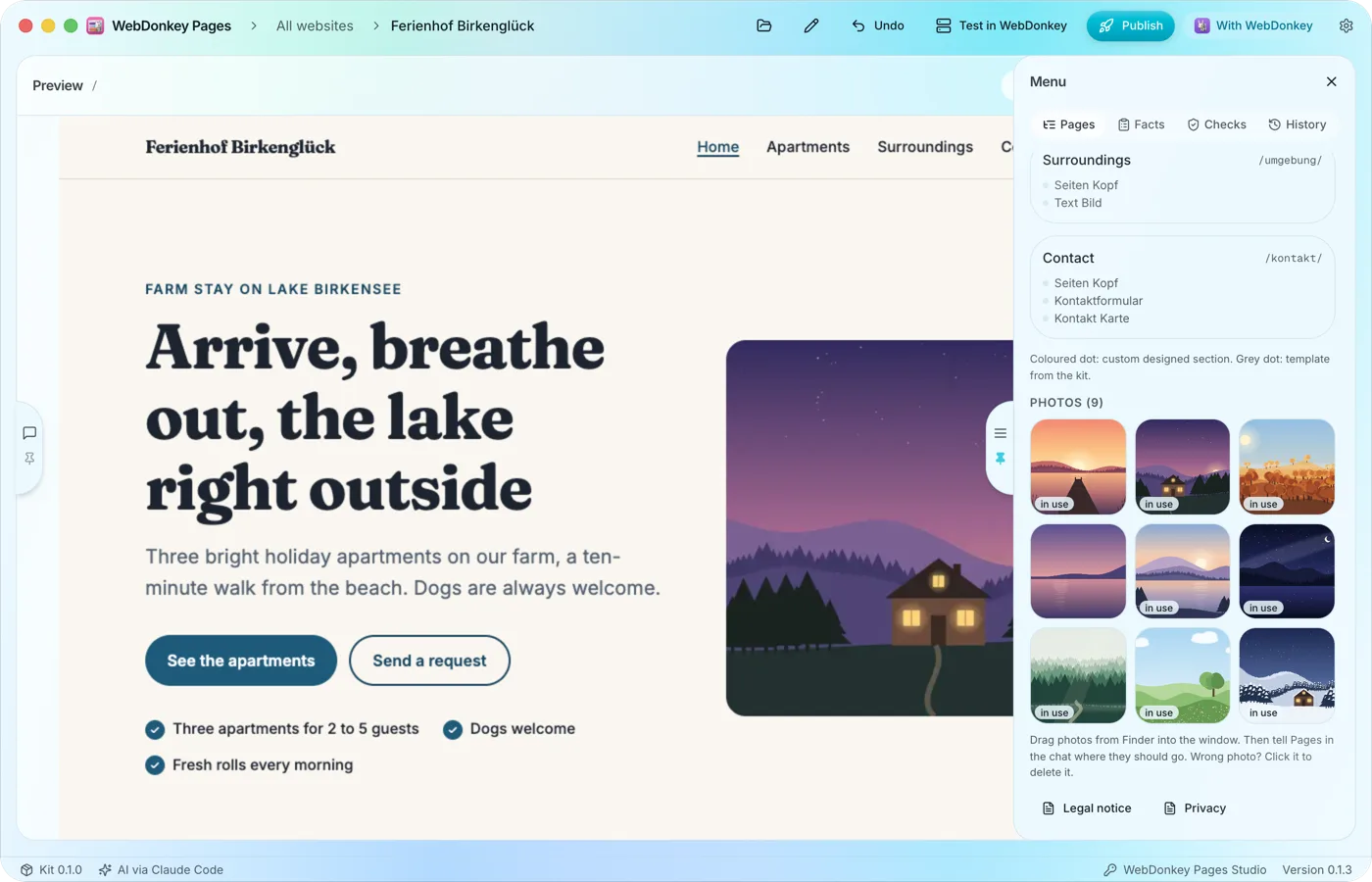 Your own photos, drag and dropDrag photos from Finder into the window and tell the AI in the chat where they should go. All photos of a website are listed in the Pages tab. Without photos Pages designs the website with type, colour and shapes and asks you for some.
Try it on your own project.
Free costs nothing and has no time limit. macOS 11 or later, Apple silicon and Intel.
