





Mail from your projects, read in the editor
The mail window shows what Mailpit caught from your local sites and, with Premium, your servers' mailboxes, read only. A mail opens as a tab with HTML, text and header views; external images stay blocked.
Free costs nothing and has no time limit. macOS 11 or later, Apple silicon and Intel.
In detail
Mailpit in the editorPremium
The caught mails of your local projects, with search and an unread counter, each as a tab; new ones appear by themselves. The embedded Mailpit is part of WebDonkey Premium.
Remote mailboxesPremium
The mailboxes you set up in WebDonkey: read, move nothing, mark nothing as read.
On Free
A notice and a button that opens Mailpit in the browser.
What does Free include?
This feature comes in Free and in Premium. Where Free ends is set out in the details and in the comparison.
Compare Free and PremiumGoes well with this
-
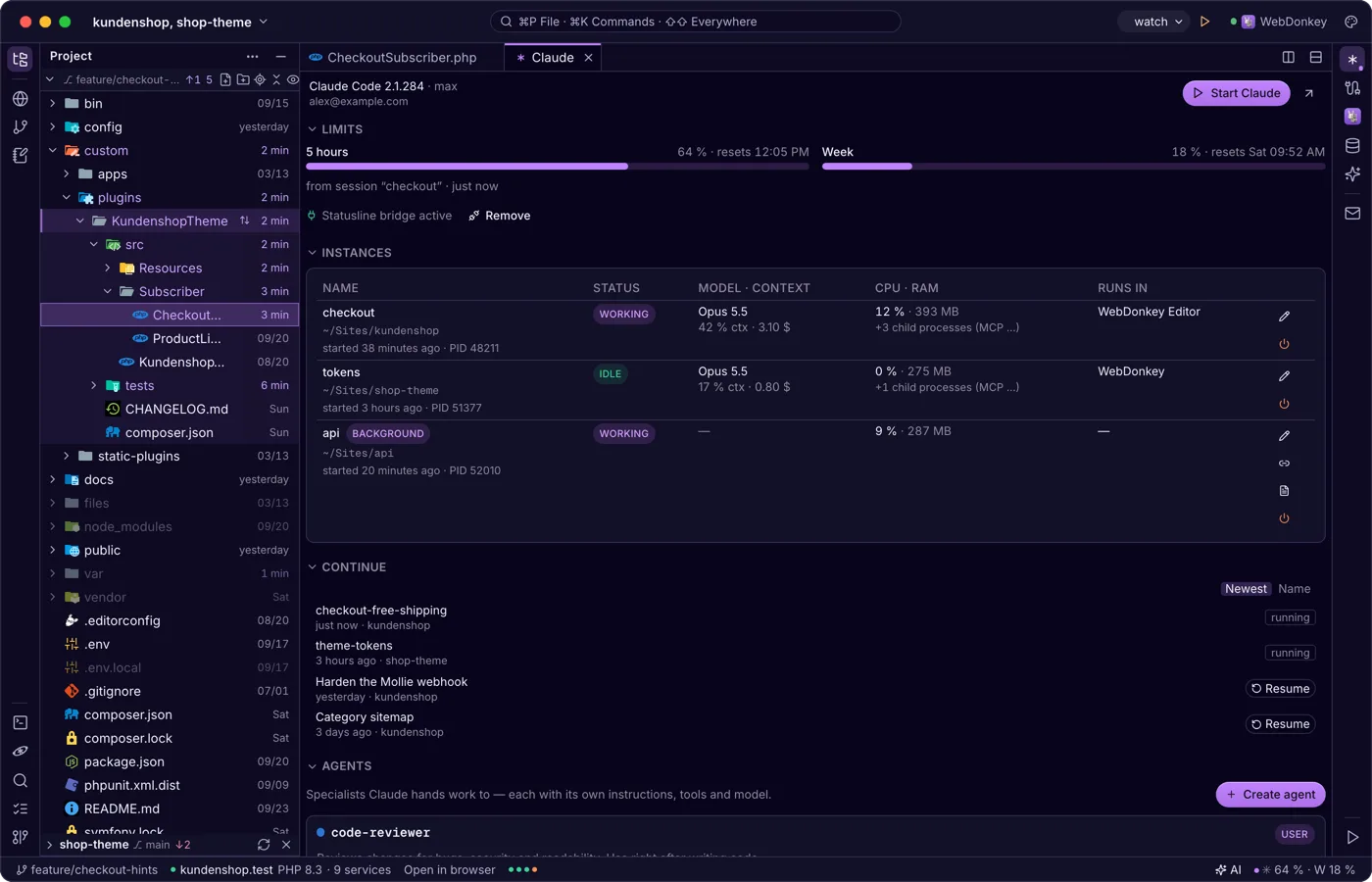
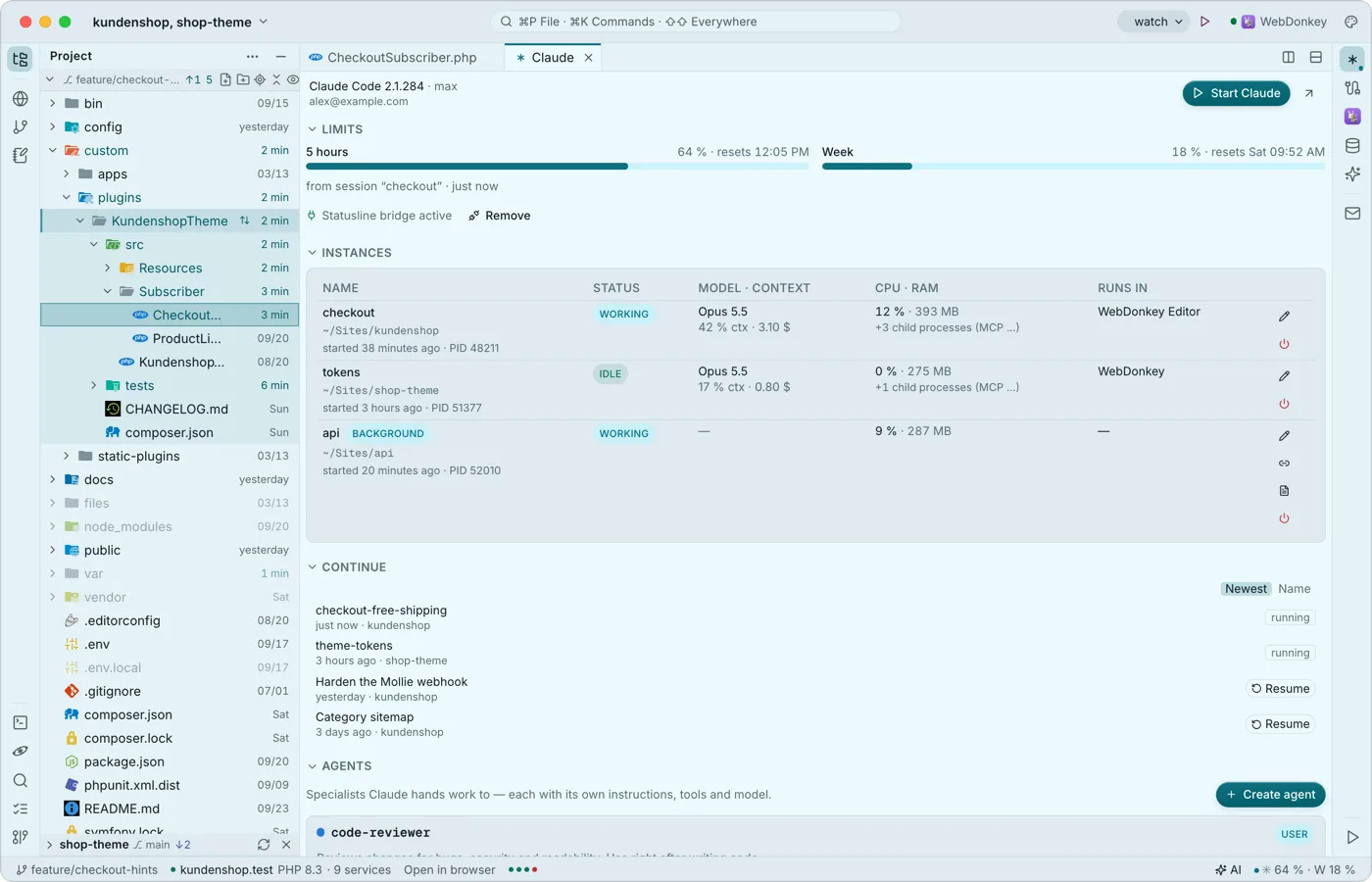 Claude Code, right next to the codeThe Claude window shows sign-in, limits, running instances, the last conversations to resume, agents, hooks and sessions. Start claude in the editor's terminal and it connects to the editor as it would to a big IDE: proposals arrive as a diff tab to accept or reject. None of it costs tokens.
-
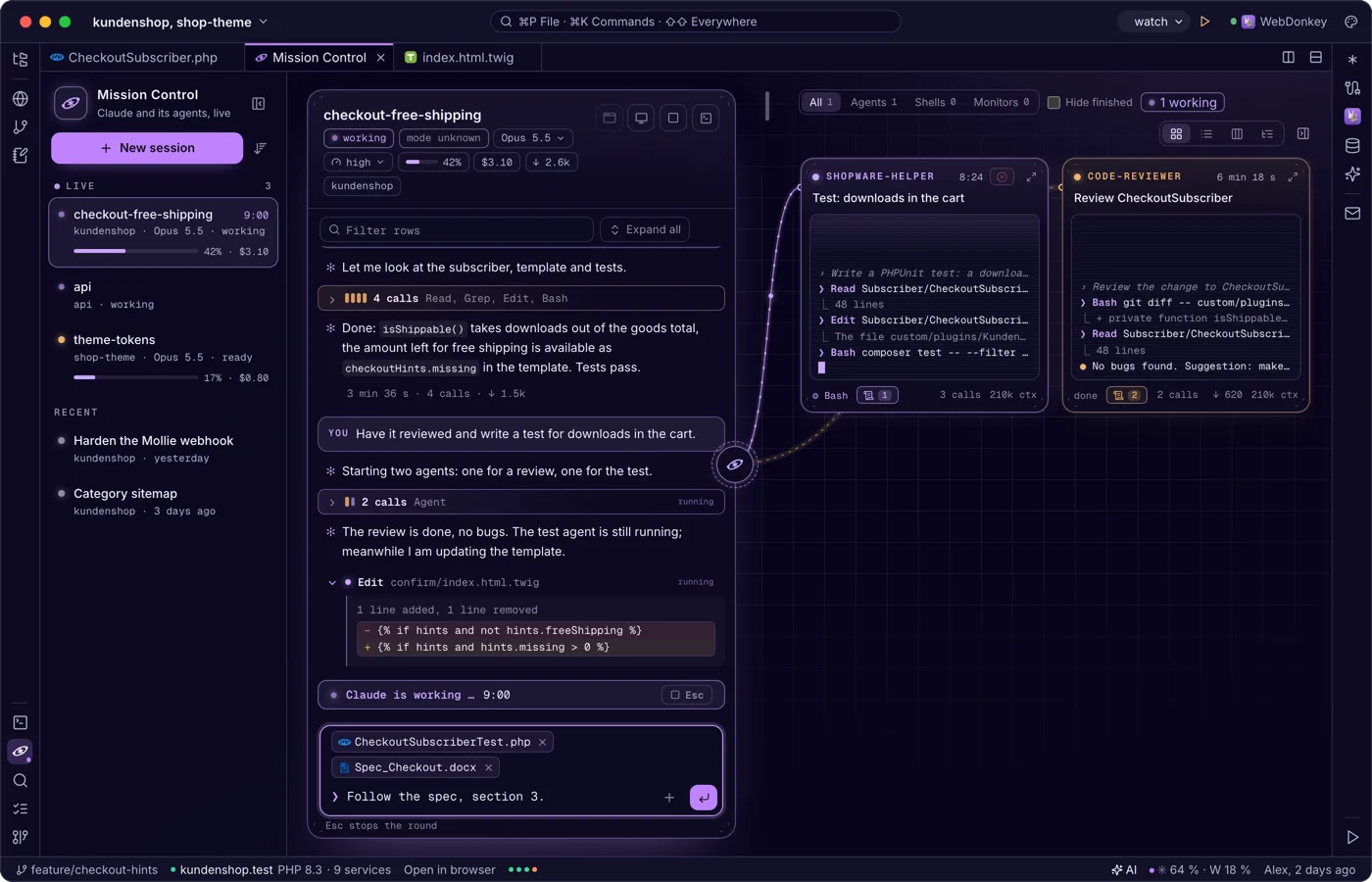
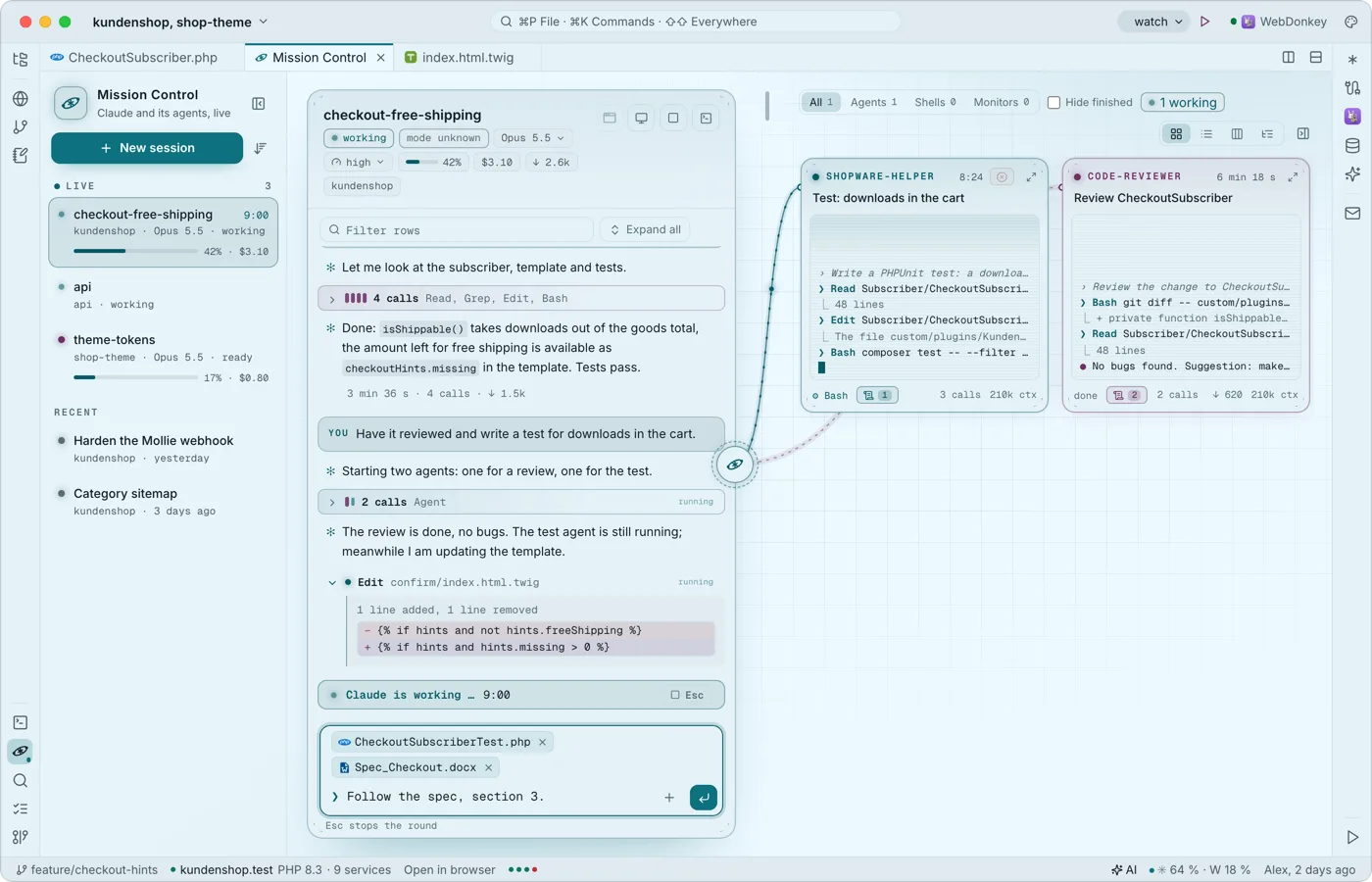 Claude and its agents, liveMission Control shows your project's Claude conversations: the list on the left, the chosen one as a stream in the middle, its agents around it as small live terminals. It reads Claude Code's own transcripts and spends no tokens; Free shows two conversations live at a time, Premium all of them; Claude keeps running in the editor terminal, and what you type here goes there.
-
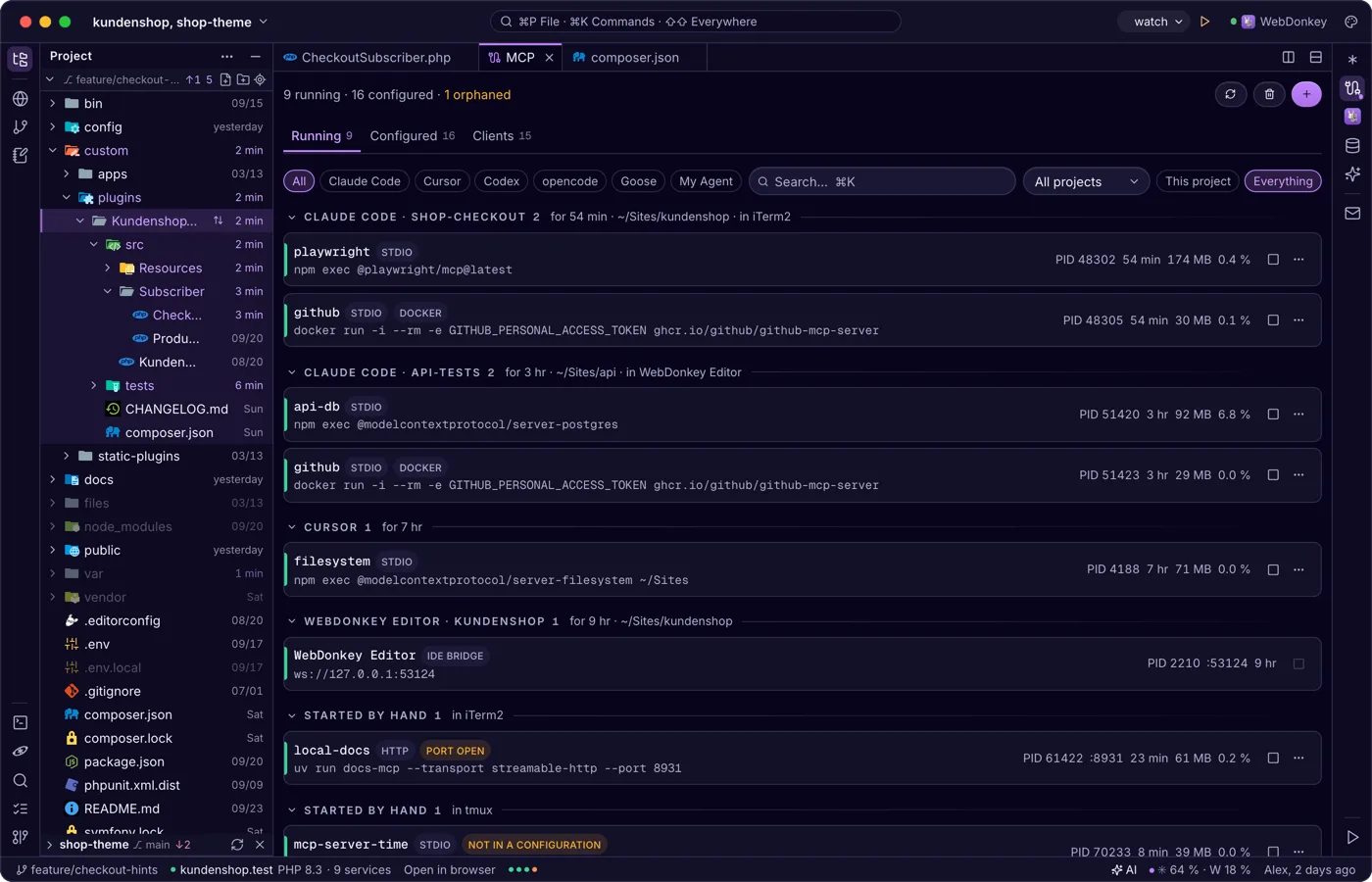
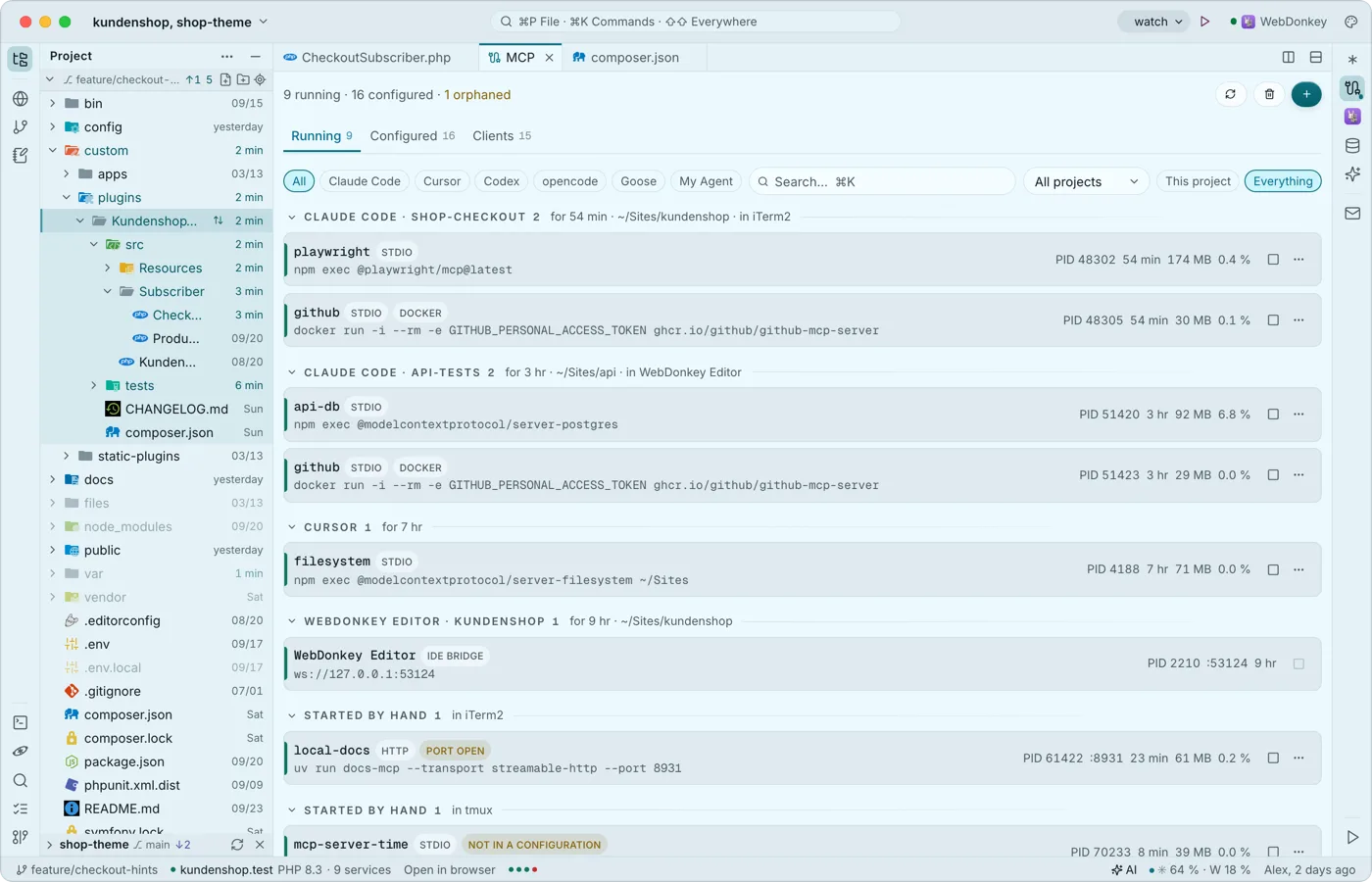 The MCP servers on your Mac at a glanceThe MCP window (⌘7) shows the MCP servers on your Mac: what is running, who owns it and what is configured in which client, be it Claude Code, Cursor or others. It is the same view as WebDonkey's MCP page and works without WebDonkey too.
-
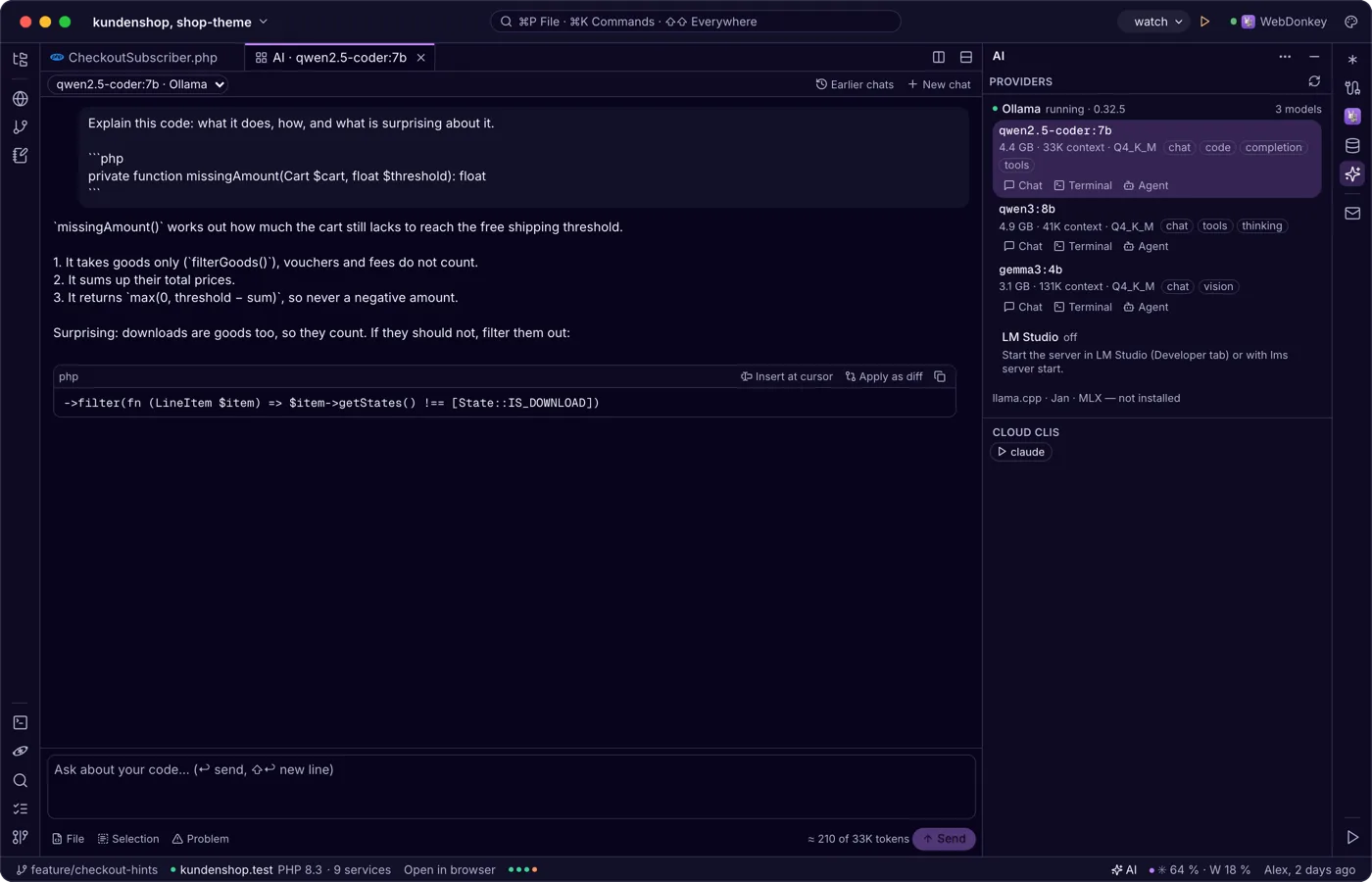
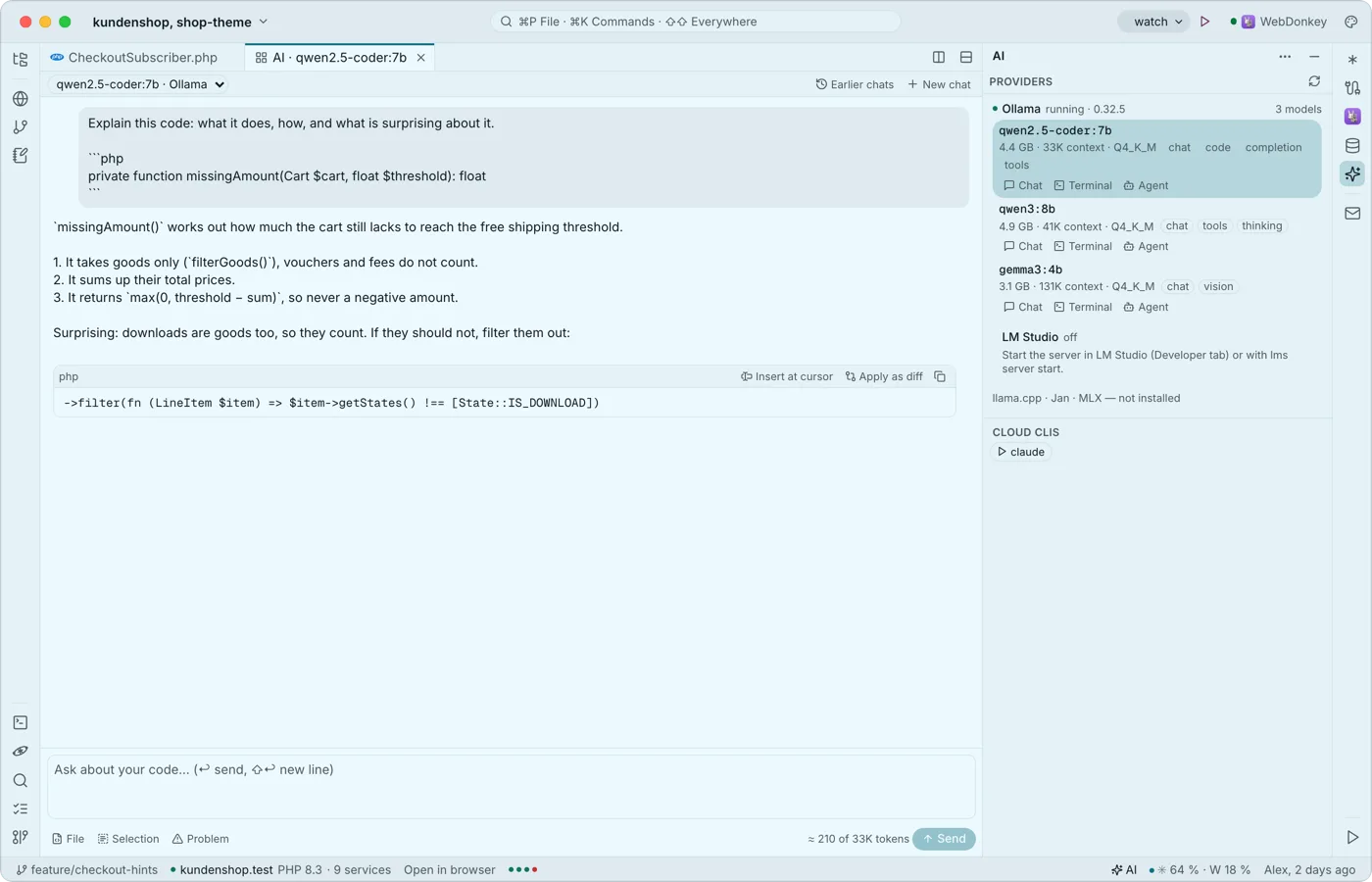 Local AI in the editorThe AI window (⇧⌘I) brings local language models into the editor: Ollama, LM Studio, llama.cpp, Jan and MLX. Chat about your code as a tab, actions in the context menu and, with Premium, grey suggestions as you type. The window, chat and actions are free.
Try it on your own project.
Free costs nothing and has no time limit. macOS 11 or later, Apple silicon and Intel.
